Boris Cherny's Parallel Agent Workflow
Table of content
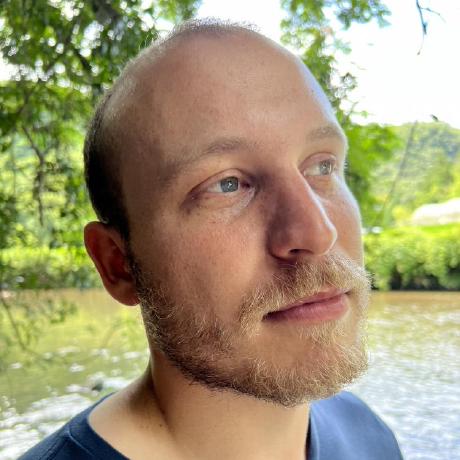
Boris Cherny is an engineer at Anthropic where he created Claude Code. Before that, he spent nearly seven years at Meta as a Principal Engineer leading server architecture and dev infrastructure for Instagram. He wrote Programming TypeScript for O’Reilly in 2019.
Boris built Claude Code. Now he uses it in ways that initially sounded insane to me: 5 terminal sessions running simultaneously, plus another 5-10 on the web. That’s 10-15 AI agents working on different parts of his codebase at once.
The first time I heard this, I thought it was overkill. After watching it work, I’m not sure anymore. (He shared his full workflow on X in January 2026.)
What makes it work
The trick isn’t the parallel sessions themselves. It’s that each one has isolated context — separate git worktrees, separate problems, no cross-contamination. When one agent is “thinking,” you switch to another. Dead time becomes productive time.
The setup
Five git worktrees, five terminal tabs, five Claude sessions. Each working on something different:
git worktree add ../project-feature feature/new-feature
git worktree add ../project-tests tests/comprehensive
git worktree add ../project-review review/pr-123
git worktree add ../project-debug debug/issue-456
git worktree add ../project-docs docs/update
Tab 1: feature work. Tab 2: writing tests. Tab 3: reviewing someone’s PR. Tab 4: debugging. Tab 5: docs.
No merge conflicts because they’re separate checkouts. When Claude in Tab 1 is generating code, you’re already reviewing output in Tab 3. The latency that normally kills AI coding becomes invisible.
Always Opus, always thinking
This surprised me. Cherny doesn’t switch models based on task complexity — it’s Opus 4.5 with extended thinking for everything.
{
  "model": "claude-opus-4-5-20251101",
  "thinking": true
}
The reasoning: less babysitting. Opus needs fewer corrections, catches more edge cases on its own. Yes, it’s slower per request. But when you’re running 5+ sessions, the extra quality compounds. One fewer back-and-forth per task times 20 tasks a day adds up. (He talked about this more on The Developing Dev podcast .)
Plan mode as default
Here’s where I changed my mind about something. I used to dive straight into implementation. Cherny starts almost every non-trivial task in Plan Mode:
> /plan
> Add user authentication with JWT tokens,
> refresh token rotation, and logout endpoint
Claude explores the codebase, identifies affected files, considers edge cases — then asks for approval before writing code. It feels slower. It isn’t. The plans catch things you’d miss, and you don’t waste time on wrong implementations.
Slash commands that actually get used
Most people create elaborate command libraries they never touch. Cherny’s team has maybe 4-5 that they use constantly:
.claude/commands/
├── commit-push-pr.md    # The big one
├── code-simplifier.md
├── verify-app.md
└── review-pr.md
The /commit-push-pr command does what it sounds like — stages, commits, pushes, opens PR, returns the URL. One command replaces 5 minutes of git ceremony:
> /commit-push-pr
# ...wait...
# PR created: https://github.com/org/repo/pull/456
It’s not magic. It’s just automating the stuff you do 10 times a day anyway. The commands live in git, so when someone improves one, everyone gets it.
Moving between terminal and browser
This one I use constantly now. The & command teleports your session to the web:
> This needs UI review
> &
# Session opens in browser with full context
You can pick it up on your phone during a commute, do visual debugging with actual screenshots, or let something run on the web while your terminal works on something else. Resume later with claude --resume session-id.
The compounding trick
Here’s what I think is the actual insight: the .claude/ directory goes into git.
git add .claude/
git commit -m "Better PR command"
git push
When someone on the team figures out a better prompt or catches an edge case, they commit the fix. Tomorrow, everyone has it. The team’s AI knowledge compounds instead of staying stuck in individual heads.
Automated code review on every PR
This one runs as a GitHub Action :
name: Claude Code Review
on: [pull_request]
jobs:
  review:
    runs-on: ubuntu-latest
    steps:
      - uses: anthropics/claude-code-action@v1
        with:
          command: review-pr
          github-token: ${{ secrets.GITHUB_TOKEN }}
Every PR gets Claude’s review before a human looks at it. Not as a replacement — as a first pass. It catches the obvious stuff so humans can focus on architecture and design.
Never trust, always verify
Cherny has a rule: Claude verifies its own work before reporting success. After making changes, it runs the test suite, checks for type errors, runs the linter. Only if everything passes does it say “done.”
The verification happens in the same session. You see the result, not the process. If something fails, Claude fixes it and tries again.
What I took from this
After watching Cherny’s workflow, I adopted three things:
- Plan mode first. I resisted this for weeks. Now it’s default.
- Git worktrees for parallel work. Even just two — main and experiment — changes everything.
- Verification built into the prompt. “Run tests before saying done” saves so much back-and-forth.
The parallel sessions thing? I’m not there yet. Two tabs feels like my limit. Maybe three on a good day. But even partial adoption of this approach made me faster.
Starting small
You don’t need five worktrees day one. Start with two:
git worktree add ../project-experiment experiment
One tab for main work, one for risky experiments. If the experiment fails, delete the worktree. If it works, merge it in. See Parallel Sessions Guide for step-by-step setup instructions.
Add one slash command — maybe /smart-commit that generates commit messages from diffs. Use it for a week. Add another when that one becomes muscle memory.
The point isn’t to copy Cherny’s exact setup. It’s to find which pieces work for how you already code.