Brian Christner's Human OS
Table of content
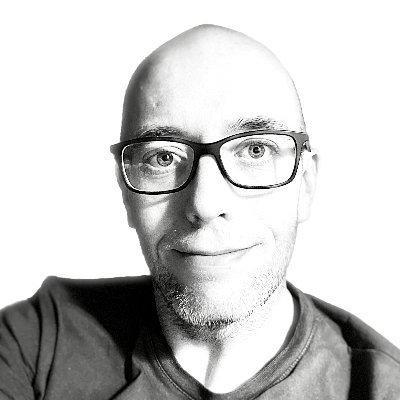
Brian Christner is a Docker Captain, cloud architect, and Chief Online Gaming at Jackpots.ch in Switzerland. He co-founded 56K.Cloud and created one of the most-starred Docker monitoring stacks on GitHub (4,000+ stars). When not containerizing everything, he’s mountain biking in the Swiss Alps and obsessively tracking his performance data.
Christner built Human OS to solve a specific problem: professionals toggle between apps 1,200 times per day. That’s four hours weekly just flipping between tabs. Human OS uses AI and MCP servers to create one interface for all your tools.
Background
- Docker Captain since the early days of the program
- Cloud architect specializing in DevOps, monitoring, and containers
- Created the docker-compose Prometheus monitoring stack
- Speaker at DockerCon, Startup Nights, and container conferences
- Based in Zurich, originally from Arizona
Human OS Architecture
Human OS operates on four principles:
| Principle | Implementation |
|---|---|
| Centralize context | Single conversational interface |
| Automate orchestration | AI coordinates across apps via MCP |
| Personalize execution | System learns user patterns |
| Free mental attention | No more app-switching |
The architecture:
[You] → [Claude Desktop] → [MCP Servers] → [External Services]
              ↑                    ↓
         AI (brain)           Spine (integration)
AI serves as the brain, interpreting requests and planning steps. MCP functions as the spine, connecting tools through standard interfaces. Together they eliminate manual tab-switching and context loss.
MCP Server Stacking
The power of Human OS comes from combining multiple MCP servers. Christner demonstrates this with fitness tracking.
Individual strengths:
| Server | Data Type |
|---|---|
| Garmin MCP | Sleep, HRV, stress, recovery |
| Strava MCP | Segment times, routes, competition |
Combined intelligence unlocks:
- Recovery vs. performance correlation
- Hidden training pattern detection
- Sleep-to-performance linkage
- Predictive readiness (“Am I ready for a PR attempt today?”)
Measured Results
| Metric | Single MCP | Dual MCP |
|---|---|---|
| PR attempt success | 35% | 71% |
| Injury prevention | 60% | 85% |
| Recovery timing accuracy | 80% | 95% |
The insight: stacking MCPs creates compounding value. One server gives you data. Two servers give you intelligence.
Setup
Christner runs Human OS in Claude Desktop with two MCP servers:
{
  "mcpServers": {
    "garmin": {
      "command": "uvx",
      "args": ["garmin_mcp"],
      "env": {
        "GARMIN_EMAIL": "your@email.com",
        "GARMIN_PASSWORD": "your-password"
      }
    },
    "strava": {
      "command": "node",
      "args": ["/path/to/strava-mcp/index.js"],
      "env": {
        "STRAVA_CLIENT_ID": "your-client-id",
        "STRAVA_CLIENT_SECRET": "your-secret"
      }
    }
  }
}
Garmin MCP: github.com/Taxuspt/garmin_mcp (Python 3.12 via uvx)
Strava MCP: github.com/r-huijts/strava-mcp (Node.js)
Business Application
The same pattern applies to work. Christner describes a professional workflow:
CRM MCP + Calendar MCP + Slack MCP
Before Human OS: Open Salesforce, search client, copy notes. Open calendar, check history. Open Slack, find thread. Switch between windows to compile context. 15 minutes of prep before a call.
After Human OS: Single prompt to Claude: “Prepare me for my call with Acme Corp in 10 minutes.”
The AI reads CRM data, pulls calendar history, finds relevant Slack threads, and presents a unified brief. Context switching drops to zero.
Key Takeaways
| Principle | Implementation |
|---|---|
| One interface | Claude Desktop as unified entry point |
| Stack MCPs | Combine servers for compounding intelligence |
| Measure results | Track before/after metrics |
| Start with one domain | Pick fitness or work, not both |
Getting Started
Week 1: Single MCP
- Install Claude Desktop
- Pick one MCP server (Garmin, Strava, or a work tool)
- Configure the connection
- Ask questions about your data
Week 2: Add second MCP
- Install a complementary server
- Ask questions that span both data sources
- Note what insights emerge from the combination
Week 3: Expand to work
- Add CRM, calendar, or communication MCPs
- Build a “meeting prep” workflow
- Measure time saved
Links
- Human OS Article - Full methodology
- Docker Prometheus Stack - His monitoring work
- BrianChristner.io - Blog with AI and productivity content
- Garmin MCP - Fitness data integration
- Strava MCP - Performance metrics integration